Creator & Engineer · 2026–present
Psst
Psst puts one-tap messages for your crew on your Stream Deck. Pick a line — "Play a round?", "Lobby is open", "Food?" — and it lands on your friend's Stream Deck. They answer with a single press: "Yes!", "In 5", "Can't". Nobody types, nobody alt-tabs, and nothing pops up over a game
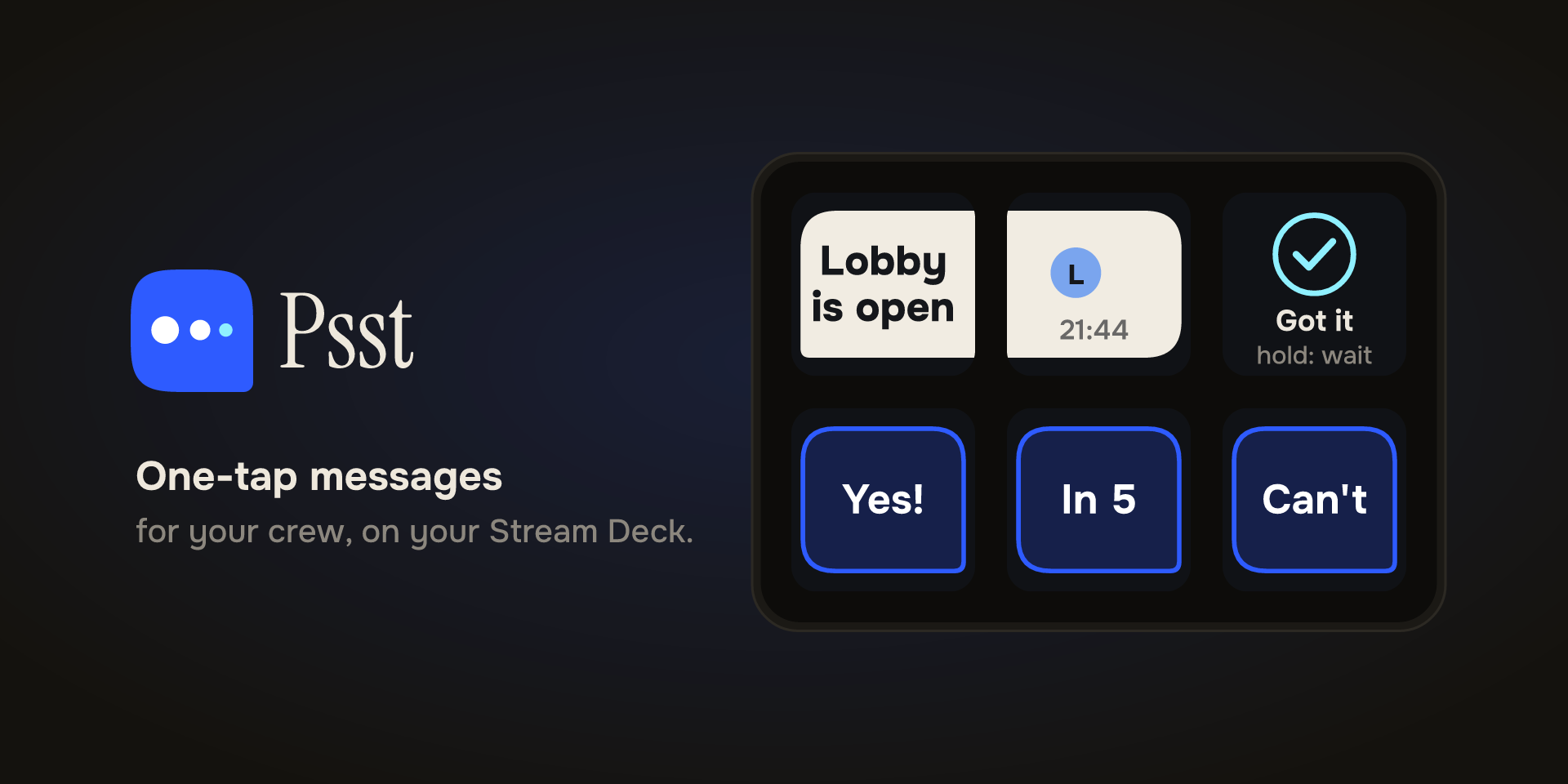
Psst — One-tap messages for your crew, on Stream Deck
Pick a line. They answer with one press. Nobody types, nobody alt-tabs.
Stream Deck plugin · Solo design + build · v1.1.0 · Mini / Neo / Plus / MK.2 / XL
The idea in 10 seconds
Psst puts quick messages for your people right on your Stream Deck.
You pick "Play a round?" — it lands on your friend's deck. They tap "In 5" and you're both back in the game. No typing, no pop-up over your game, no phone to check.
Every friend needs their own copy. Needs internet. That's it.
The problem I wanted to solve
When you're in-game with headphones on, texting breaks everything. You alt-tab, you miss the lobby, your message pops up over someone else's stream.
I wanted something quieter: a little pager for your crew that lives on hardware you already touch.
Constraints I set for myself:
- Nothing to type on the deck, ever
- No account, no login, no second app
- No noisy notifications — a deck should whisper, not shout
How it feels to use
When it's quiet: The Psst key just sits on your normal profile showing the logo and your status.
When something arrives: You see who sent it, how many are waiting, and a soft chime with three gentle rings. Then it waits patiently — no blinking forever.
Tap it: Your whole deck becomes the conversation. Friends with their status, your lines to pick from, the thread itself with bubbles that stretch across keys.
Answer: Pick a reply, or tap Got it. Hold it to say Wait. Your deck drifts back to where you were on its own.
I obsessed over the little things:
- One tick = sent, two = delivered, ice-blue = read
- Three dots when they're answering
- Replies arrive quoting what they answer
- Sent the wrong thing? Unsend works until they've read it
Made for every deck
I designed a Psst layout for every key-based Stream Deck — Mini, Neo, Plus, MK.2, and XL — and it ships with the plugin. Install, and it's just there.
New in 1.1: On the Stream Deck Neo, you can put Psst Infobar on the little Infobar screen. A waiting message glances there — who wrote and what they said. If a few people are waiting, they take turns. You still answer from the keys.
Plus two everyday helpers:
- Quick Send — one line to one friend on one key, for the thing you ask every night
- Status — Available, In game, Away, Busy, DND. Busy softens the chime. DND silences it.
Designed to be calm
The look is simple on purpose:
Cobalt bubbles are yours. Paper bubbles are theirs. Hollow means you can send it, filled means you sent it.
Your status key is the only one without a face — just a tinted key with your color. Friends show as faces with a ring: solid when they're around, dashed when they're not.
The logo is a Stream Deck key that whispers — a little bubble with three dots trailing off, the last one ice-blue, the read color.
I made the full brand kit too: icons, Marketplace images, poster, video, social cuts.
Private by design
There's no account because there's nowhere to have one.
Psst makes a key on your machine — that fingerprint is your ID, like PSST-7K3M-Q9XD. Share it however you like, add each other, and only then can messages flow. Anyone else just disappears. Removing someone is how you block them.
The little relay in the middle remembers nothing — no history, no inbox, no logs. If your friend is offline, your message waits patiently on your own deck and goes when they're back.
No helper app. No weird system permissions.
What shipped
1.0 — Psst key, full conversation views, quoted replies, reactions, unsend, ticks, Quick Send, Status, mute, offline waiting, all five deck layouts.
1.1 — Infobar for Neo with privacy choices: show the message, just show who sent it, or just show a count.
Designed, engineered, branded, and launched solo — from interactive prototype to Elgato Marketplace listing.